Cellar Keeper Troubleshooting
When the cellar will not open — or the wines look misspelled.
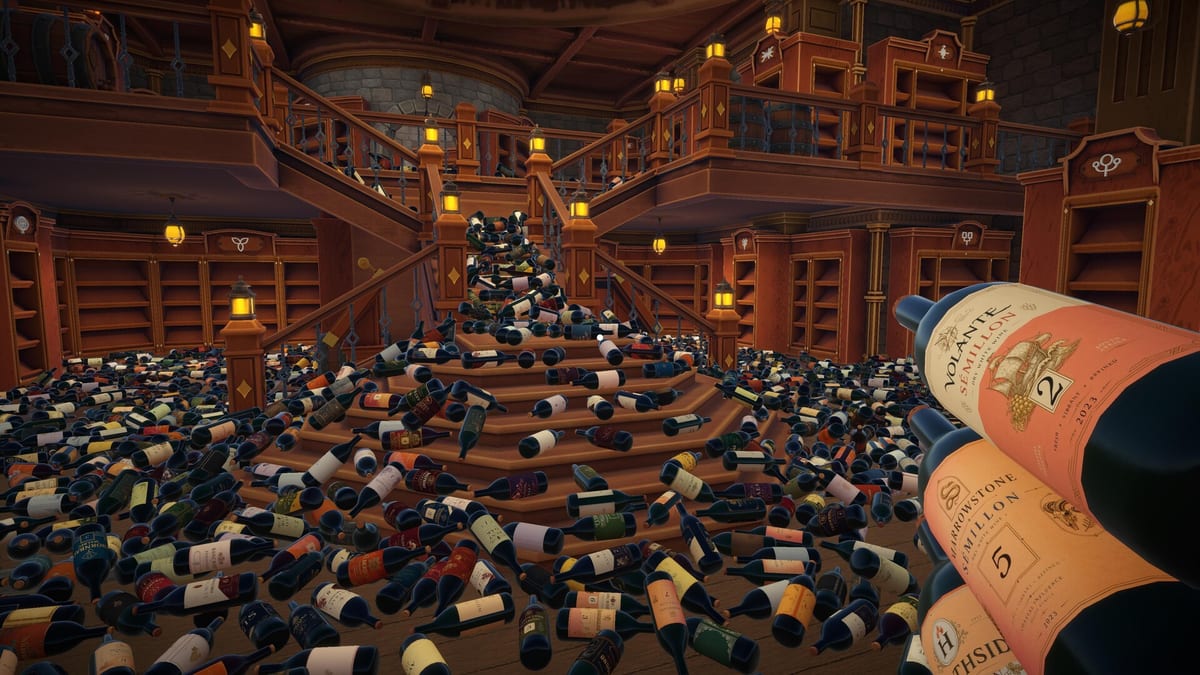
Launch week Steam threads for Cellar Keeper already include “The game doesn’t work”, antivirus warnings, and debates about wine naming (including Riesling spelling). This troubleshooting guide gathers practical checks that do not require inventing patch IDs EgoTrampoline has not published. Pair it with System Requirements and the pinned Bug Reports forum on the Steam Community hub.
Launch failures and Steam errors
- Verify integrity of game files — Steam Library → Cellar Keeper → Properties → Installed Files → Verify.
- Update GPU drivers and reboot once.
- Run Steam as a normal user first; only elevate if your IT policy demands it.
- Disable overlay experiments temporarily (Discord overlay, niche FPS monitors) if the window never appears.
- Reboot after install when Windows finishes lingering Defender scans.
If Steam itself returns a generic launch error, check the Steam client status page and try a different download region under Settings → Downloads.
Black screen or instant crash on first launch
Some Windows 11 PCs fail silently when fullscreen defaults clash with multi-monitor setups. Try borderless windowed mode from the in-game options if you reach the menu, or add -windowed as a Steam launch option under Properties → General → Launch Options before the first boot succeeds. If the executable never appears in Task Manager, reinstall to a path without special characters and confirm you meet the 64-bit Windows requirement on System Requirements.
Antivirus and Windows Defender warnings
Some players report Defender flagging the fresh install. False positives happen with small Unity/indie titles. Steps:
- Confirm you purchased from the official Steam store page.
- Quarantine restore only if Windows Security explicitly names the Cellar Keeper install folder under
steamapps/common. - Add a folder exclusion for the game directory after you trust the source — do not disable Defender globally.
- Re-verify files afterward.
Never download “cracked” Cellar Keeper mirrors; they are the real malware risk.
Performance stutter while sorting
- Cap FPS or enable VSync if available in options.
- Close Chrome monsters before long Cozy sessions.
- Lower resolution temporarily on minimum GPUs (GTX 960 class).
- Ensure the install drive is not 100% full — the game needs ~1 GB free.
Long Cozy sessions sorting all 2,448 bottles can expose thermal throttling on laptops. Plug into power and pause if frame times become erratic — misreads during label checks cause gray flashes that feel like bugs but are sorting mistakes.
Wine names, Riesling threads, and localisation quirks
Community posts debate how wines are spelled or pronounced. EgoTrampoline disclosed that generative AI assisted some fictional bottle brands and translation. Expect odd brand names; they are intentional flavour, not OCR errors. For Korean players, community map pronunciation sheets exist on Steam Guides — useful, unofficial.
Sorting still keys off wine type symbols and brand shelves, not perfect linguistic knowledge. See Types and Brands and Wine Types Reference.
Saves, Cloud, and lost progress
- Confirm Steam Cloud is enabled for the title.
- After a crash, wait for Cloud sync icons to settle before launching again.
- Avoid copying save folders between PCs while Cloud is mid-upload.
- Hardcore breakage is permanent for those bottles — that is a mode rule, not corruption. Read Hardcore Mode.
Cloud conflicts after playing on two PCs
If you bounce between a desktop and a laptop, always quit Cellar Keeper fully and wait for Steam Cloud sync before switching machines. Launching both sessions offline can fork saves. When in doubt, check the Steam Cloud conflict dialogue carefully — picking the wrong timestamp can erase a nearly finished cellar.
Achievements not unlocking
- Stay online with Steam.
- Finish the shelf or mode condition cleanly (yellow placements).
- Master Organizer likely needs Speedrun Mode — details on Master Organizer.
- Restart the client if Steam overlay desyncs mid-session.
Controller and input oddities
Steam advertises full controller support, yet some players report stick drift affecting precise shelf placement. Calibrate your controller in Windows, confirm the game sees the correct device under Controller, and test keyboard and mouse on Keyboard and Mouse to isolate hardware issues from sorting logic errors.
When comparisons to other tidying games get loud
Launch discussions sometimes accuse Cellar Keeper of copying other organizing sims. That debate does not fix your crash. Separate storefront drama from technical troubleshooting: verify files, update drivers, report reproducible bugs with clips. Gameplay guidance still lives in Guides regardless of internet arguments.
How to file a useful bug report
EgoTrampoline’s pinned thread asks for:
- What you were doing
- What went wrong
- Screenshots or short clips when possible
Include your OS version and GPU model. Do not paste account passwords.
Related pages
Most “broken cellar” reports resolve with verify-files plus a calm reread of sorting rules — not a full reinstall.
Frequently Asked Questions
Quick answers to the most common questions.
Windows Defender flagged Cellar Keeper — is it safe?
If you installed from official Steam, treat warnings cautiously as possible false positives. Verify files and add a folder exclusion only for the Steam common directory.
The game will not launch from Steam. What first?
Verify game files, update GPU drivers, reboot, then retry. Check the pinned Bug Reports thread if it still fails.
Why do some wine names look wrong?
Brands are fictional and partially AI-assisted per the Steam disclosure. Sorting uses types and shelves, not dictionary spellings.
Did I lose my save in Hardcore?
Broken bottles are a Hardcore rule. Switch to Cozy for safer learning runs if breakage feels too punishing.